


NEWYou can now listen to Fox News articles!
Every time you ask ChatGPT a question, say “Hey Siri,” or let Google finish your sentence, something else may happen in the background. In many cases, you are helping train the AI that responds to you.
Most people do not realize this. However, many AI platforms use conversations to improve their systems. As a result, your questions, your voice and your habits can be stored and reused by some of the world’s largest tech companies.
That said, you are not stuck with these settings. You can turn off much of this data collection if you know where to look. Even better, it only takes about 15 minutes across the major platforms. Here is exactly how.
Sign up for my FREE CyberGuy Report
Get my best tech tips, urgent security alerts, and exclusive deals delivered straight to your inbox. For simple, real-world ways to spot scams early and stay protected, visit CyberGuy.com — trusted by millions who watch CyberGuy on TV daily. Plus, you’ll get instant access to my Ultimate Scam Survival Guide free when you join.
5 SIMPLE TECH TIPS TO TAKE BACK CONTROL OF YOUR SOCIAL MEDIA
AI assistants are designed to feel like a private conversation. But depending on the platform, what’s collected often goes well beyond what you typed or said:
Almost none of this is turned off by default. You have to go find the switch yourself.
Here’s a quick thought experiment. In the last month, have you asked an AI assistant about:
Each detail seems harmless on its own. But together, they create a surprisingly detailed picture of your life—one that could be stored indefinitely, reviewed by human contractors, or exposed in a data breach.
In 2023, Samsung engineers accidentally leaked sensitive internal code by pasting it into ChatGPT. Most people don’t have an IT department watching out for them. But everyone can take a few minutes to adjust their settings.
This doesn’t mean you should stop using AI tools. They can be incredibly useful. But it’s worth understanding what’s being collected—and what you can turn off right now.
By default, your conversations may be used to help improve AI models, but you can turn this off at any time.
To turn this off:
You can also go to Settings > Data Controls > Export data to download everything OpenAI has stored, or select Delete all chats to wipe your history. Note that even with training off, OpenAI retains conversations for up to 30 days for safety monitoring.
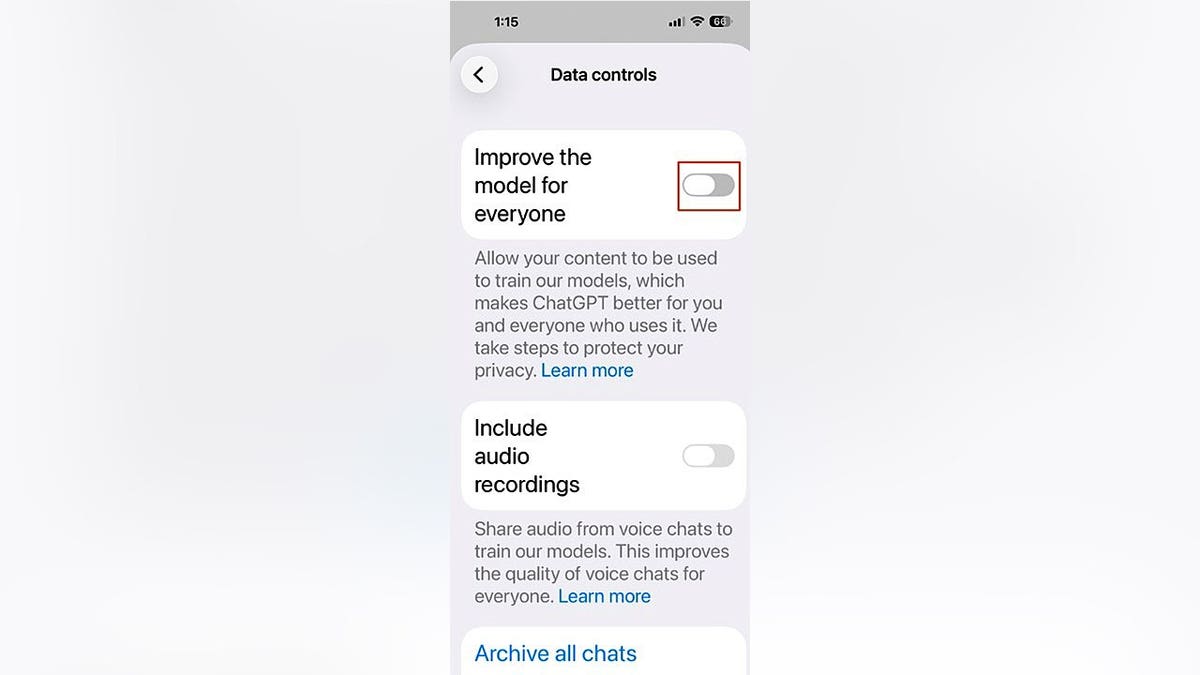
Turning off “Improve the model for everyone” stops your ChatGPT conversations from being used for training. (Kurt “CyberGuy” Knutsson)
Google’s AI tools, including Gemini and Search’s AI Overviews, are tied to your Google account activity.
To manage this:
Keep in mind: disabling activity tracking may affect personalization across Gmail, Maps, and other Google services.
DATA BROKERS ACCUSED OF HIDING OPT-OUT PAGES FROM GOOGLE
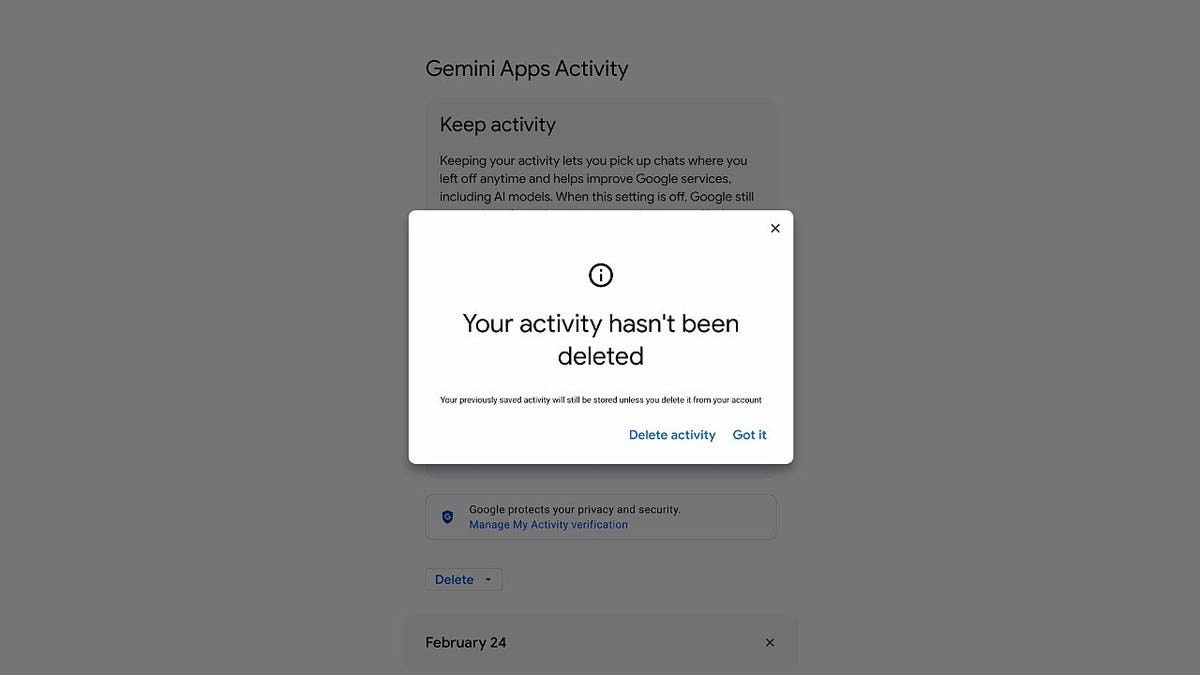
Google’s Gemini activity settings show how your AI interactions may still be stored unless you delete them. (Kurt “CyberGuy” Knutsson)
Copilot is built into Windows, Microsoft 365 and Edge, so it can access a wide range of your documents and activity.
To adjust your settings:
In Windows 11: Settings > Privacy & Security > Diagnostics & Feedback and turn off Optional diagnostic data
Microsoft does not offer one single switch that turns off all Copilot data collection, so you need to review settings in multiple places. Enterprise users should check with their IT administrator, as organizational settings may also apply.
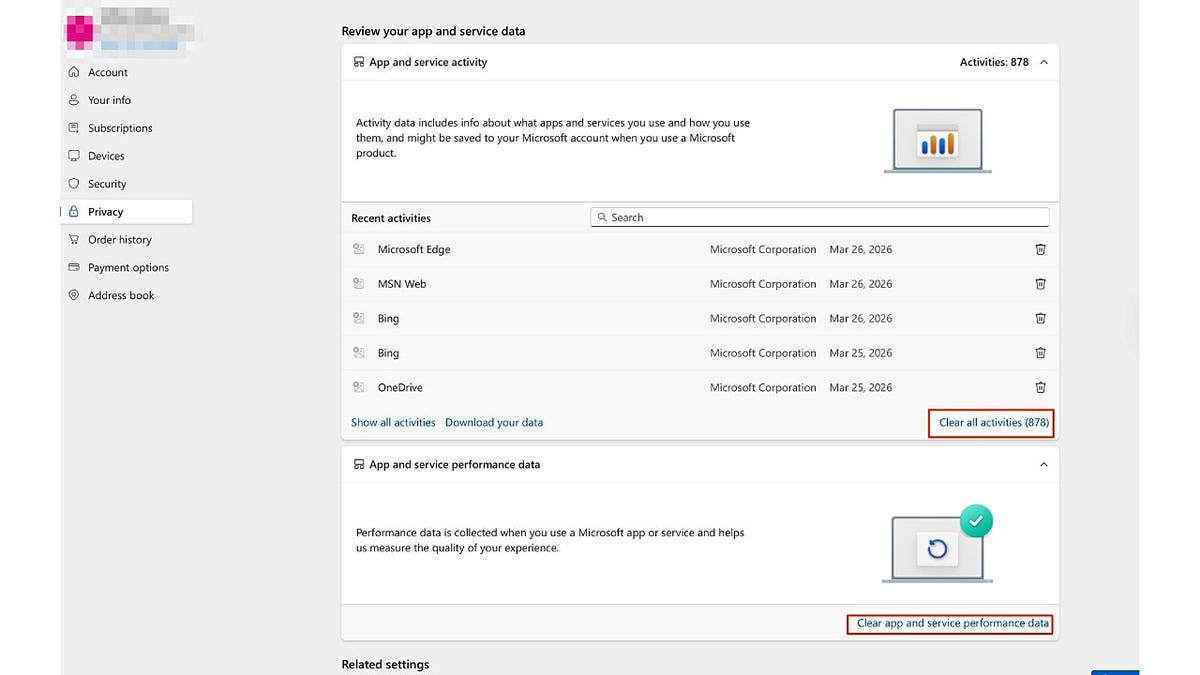
Microsoft’s privacy dashboard lets you review and clear app and service activity tied to your account. (Kurt “CyberGuy” Knutsson)
Alexa stores voice recordings by default, and in some cases, Amazon may have human reviewers listen to those recordings as part of its quality review process.
To turn off voice recording use:
To stop Alexa from keeping your recordings:
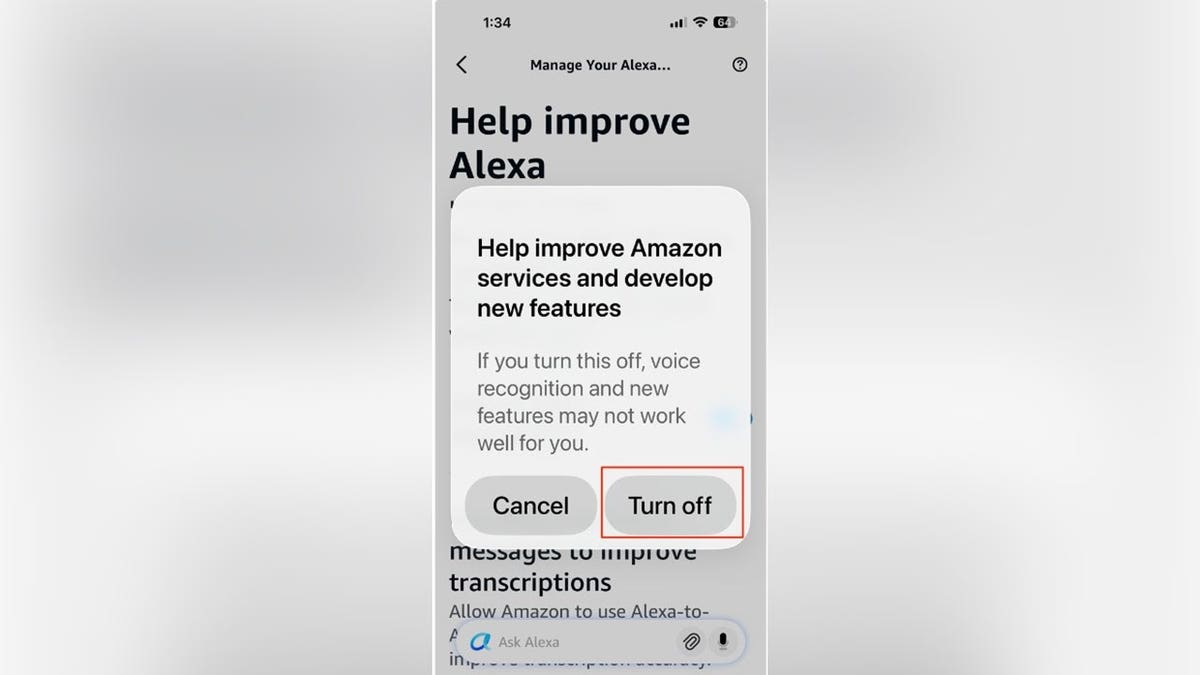
In the Alexa app, turning off voice recording use prevents Amazon from using your recordings to improve services. (Kurt “CyberGuy” Knutsson)
Apple is generally more privacy-focused than other platforms, but Siri still collects data to improve its performance.
To limit Siri data collection:
To delete your existing Siri history:
Go to Settings Tap Siri or Apple Intelligence & Siri Tap Siri & Dictation History Tap Delete Siri & Dictation History
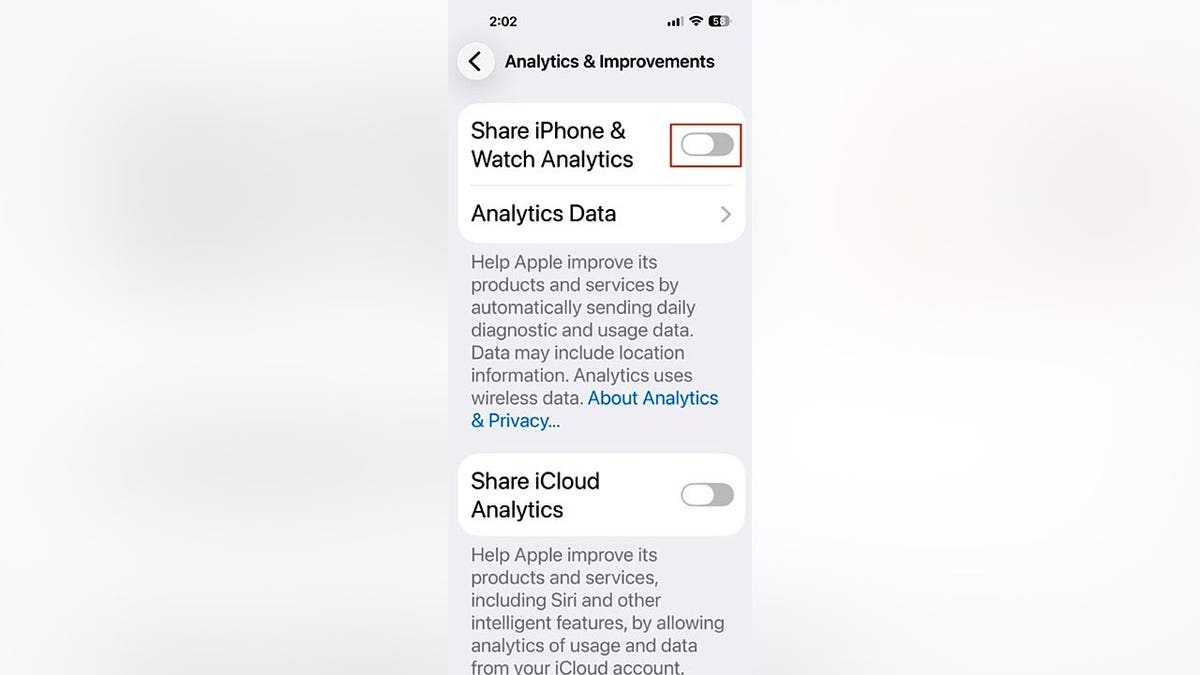
Disabling analytics on iPhone limits how Apple collects data to improve Siri and other features. (Kurt “CyberGuy” Knutsson)
Adjusting these settings is an important step. But it only controls what these apps collect directly going forward. It doesn’t address the hundreds of websites that may already be publishing your personal information online, right now, without your knowledge.
Data brokers do not need your AI chat history. Instead, they pull information from public records, marketing lists and people-search databases. They also refresh these profiles constantly, which keeps your data active and easy to find.
As a result, your name, address, phone number and family members may already appear on dozens of sites you have never heard of. Unlike AI apps, these sites do not offer a single settings menu to turn this off.
While you can remove your data manually, the process takes hours and often requires repeated requests when your information gets reposted. In many cases, you need to revisit these sites regularly to keep your information from reappearing.
The goal is simple: make it much harder for strangers, scammers and cybercriminals to find your personal information online.
While no service can guarantee the complete removal of your data from the internet, a data removal service is really a smart choice. They aren’t cheap, and neither is your privacy. These services do all the work for you by actively monitoring and systematically erasing your personal information from hundreds of websites. It’s what gives me peace of mind and has proven to be the most effective way to erase your personal data from the internet. By limiting the information available, you reduce the risk of scammers cross-referencing data from breaches with information they might find on the dark web, making it harder for them to target you.
Check out my top picks for data removal services and get a free scan to find out if your personal information is already out on the web by visiting Cyberguy.com
Get a free scan to find out if your personal information is already out on the web: Cyberguy.com.
Spending just 15 minutes adjusting your AI privacy settings is one of the most effective steps you can take to protect your digital privacy right now. Most major platforms, including OpenAI, Google, Microsoft, Amazon and Apple, collect data by default. However, you can opt out, even though companies often bury these settings deep in menus. As a result, many people never find them. At the same time, AI assistants feel private and conversational, so you may share more personal information than you realize. Even if you turn off data collection going forward, companies do not erase what they have already stored. In addition, these settings only control what happens inside each platform. Data brokers still build separate profiles about you using information pulled from across the internet. Because of this, privacy is not a one-time fix. Instead, you need to check your settings regularly and stay aware of what you share. The good news is you do not have to stop using AI tools. Instead, take a few minutes this week to review your settings and make sure the rest of your digital footprint is not working against you.
How much personal data are you willing to let big tech companies collect from your everyday AI use? Let us know by writing to us at Cyberguy.com.
CLICK HERE TO DOWNLOAD THE FOX NEWS APP
Sign up for my FREE CyberGuy Report
Get my best tech tips, urgent security alerts, and exclusive deals delivered straight to your inbox. For simple, real-world ways to spot scams early and stay protected, visit CyberGuy.com – trusted by millions who watch CyberGuy on TV daily. Plus, you’ll get instant access to my Ultimate Scam Survival Guide free when you join.
Copyright 2026 CyberGuy.com. All rights reserved.




Discount Applied Successfully!
Your savings have been added to the cart.